Jessica Hurdley:
I’m happy to be joined today by our presenters, Dr. Tara Mathien and Dr. Lori Dasa. Do you want to each introduce yourself and then we’ll just jump right into the presentation?
Dr. Lori Dasa:
Absolutely. Thank you so much, Jessica. My name is Dr. Tara Mathien and I am Early Childhood Studies faculty, clinical Associate professor at the University of Florida.
Dr. Tara Mathien:
And I am Dr. Lori Dasa and I am the Director of Clinical experiences and Partnerships for the College of Education.
Dr. Lori Dasa:
Alright, so thank you everyone for joining us today. I hope that this is really helpful to you and to the integration that you either are currently doing or considering doing in your own programs. So we are going to share a little bit about what it looks like and from the perspective of the users on our end at uf.
Dr. Tara Mathien:
You want to click that? Here
Dr. Lori Dasa:
We
Dr. Tara Mathien:
Go. So our agenda’s pretty clean. We thought that you’d have the best opportunity to get the perspectives from the different users, as Dr. Mathien said, that are engaging in GoReact Advance. So we’re going to kind of talk a little bit about AI in our program and then AI with our students, the impact and perception AI with our supervisors. Again, the impact and perception, and then talking about AI in the future and what we’re going to do for program enhancements and maybe what you guys can offer some input about what you’re thinking about on your side as well.
Okay. So let’s start with the program. We decided to take a face-to-face program, an early childhood online program, excuse me, and move it onto the virtual arena, onto the online platform. But it wasn’t just taking a program and transferring it virtually. It was really looking at it and thinking about what was the best technology that would enhance this teacher preparation. How could we do an asynchronous environment offering immediate feedback? So that’s kind of the why we decided to engage with AI and GoReact. What we do currently is we have GO Act and AI advance embedded in our virtual practicum experiences and what we look for it to, what we’re hopeful of it and how it works is to reinforce coaching support and the feedback process. So that triad loop of the supervisor, the AI and our students.
Dr. Lori Dasa:
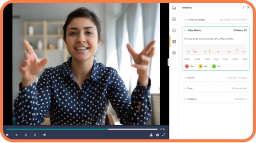
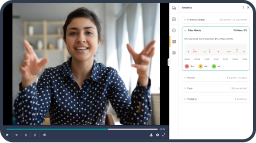
So I’m going to explain just a little bit about some of the examples from our program and what this might look like. So for some of you that might be using AI Advanced right now, some of this might look really familiar to you. For those of you that are new to it, I’ll explain a little bit about some of these features and how we use these in our program. So I’ll start here In the top left where it says preview marker set. So those we utilize with the AI advanced, the preset markers that have been established, that AI that are powered by ai, that will code the videos. We also use our own marker sets so that we can kind of see the alignment and connect. For those of you that are in Florida, we’ve got the Florida educator accomplished practices that we have our marker set to.
So anyone in any state that’s got their own practices that teachers need to or pre-service teachers need to demonstrate in their states, you could have a marker set that goes along with it. And the preset AI markers align really well with the standard language in those FETs that we already have to do. You’ll see underneath that with the feedback graph. Those are, that’s just an example of one of the visual representations of the metrics that can be pulled up based on the AI powered feedback that is provided to the video. So this is just one example of, you’ll see the little circles there at the bottom. Those are the preset markers that have been connected to the video based on what the student entered in. And then you can see the graph that’s coming up shows the markers in the circles and then the squares are the comments, the AI comments that are automatically applied to that.
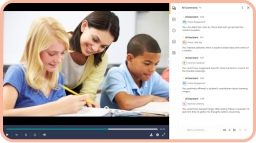
So they’re timestamped. The students get a really nice, very timely, almost instant feedback after they’ve uploaded their video. They can then look at this visual representation and there’s all sorts of different graphs that can be shown that the students can access and their supervisors and faculty can also access. The bottom right is an example of what that would look like in the video format. So this upload was an upload by a student we use with our virtual practicum that Dr. Dasa already shared. We use a program called Immersion and so our students then get that video, they upload it to GoReact. So that’s what that image is of. And then to the right of it, you can see that the marker sets that we plugged in for the video to be used for the AI feedback, and then the comments are behind that so you can kind of see what it would look like for student facing and faculty and supervisors and how that looks. And then the left hand side kind of shows a breakdown of how you can look at them separately and really start to get a view of the metrics based on any student input for the videos.
This is a closer look at what the actual feedback looks like. So we’ve got three examples that we wanted to share with you. So the first one here at the, it says 14 seconds. This one is an example of a combination which is so powerful that we use in our programs all the time to really deepen and reinforce the feedback that’s provided to our students. This one is a combination between the AI advanced feedback that is given automatically on the video in addition to a supervisor comment. So the supervisor is actually going in to that coded video and providing aligned comments that go in line with what the AI marker was. So you can see here it says tt, that means think time. So the marker set in that video at the 14 second mark was identifying think time and professionalism that the student had demonstrated and then the supervisor is able to go in and make a comment about it being an example of think time and giving the class space to collaborate.
The second one is an example of just what that AI would look like. The AI comment there is actually generated from the AI advanced platform from GoReact. So it identified at the 33 second mark that the student was demonstrating listening and praise. So this comment is, like I said, from it’s AI generated from the transcript that we have here. You demonstrated active learning by allowing the student time to gather their thoughts and respond when asking what they like to put in their smoothie. That was not by a supervisor, that was an AI generated comment. So you can see the difference there. The supervisor comment in the first one and then the AI generated comment in the second looks really similar. It’s very, I would say, accurate to what we would expect our supervisors to even say. So then that final example there, the third one at the 51 second mark, the AI marker was EI the engagement is what it identified and then I would be improve.
So this was something that it was identifying as not necessarily entirely supportive of what the AI was seeing, but an area for improvement. So the comments can be supportive and reinforcing behavior of the student and the actions of the student as well as improving and providing some constructive feedback. So it’s saying that you could have engaged the students more actively by asking them open-ended questions about the ingredients they want to use such as, and then it goes on to give a suggestion. So the bottom two are completely AI generated and the top is a combination of AI and supervision.
So that’s sort of what we just shared is kind of program, how it looks and how it’s embedded in our virtual practicum experiences. But we’ve got some perspectives here. We’ve done a lot of studying and collecting data on our student perspectives on our supervisor, the usage of all of this and for the students on the student side of things and really kind of utilizing this AI feature, how it seems to have impacted our students. The biggest ways really that we can see is that it’s really reinforcing the pedagogy and the teaching practices that we have in all of our content, right infused throughout all of our coursework. It’s really able to reinforce that in a way that students can see, like I said, pretty much in real time once they upload those videos, getting that instant feedback to prompt deeper reflection so that they can really reflect on their own practice with that feedback that is supportive as well as areas for improvement.
The perceptions from the students, they really appreciate the constructive feedback they receive through GoReact about their teaching practices, they’re utilizing it, they’re thinking about it, it’s helping prompt other ways of considering their practice. So we do have a few quotes that we would like to share that we were able to get from our students about their actual experiences. So I’ll just kind of read through these. So at first I thought it was my supervisor. I had no idea it was ai. So like I shared at the two previous slides, the comments, sometimes the students have to read them very carefully to see who was it that actually responded. Was that my supervisor or a faculty member or was that AI generated? So Caitlin was saying she sometimes didn’t even realize it was so close. Natalie says, being able to rewatch and reflect using GoReact was really helpful.
I noticed things I missed in the moment. So again, super powerful to help with them in kind of facilitating a deeper reflection. Let’s see here. Crystal says, I liked GoReact because I could see my own pacing and if I was pausing too long or talking too fast, I would say one of the features that the students tend to really enjoy, I’m not really sure why. I think this comment maybe alludes to it a little bit, but on some of the visual graphs that you can choose to pull down and actually see one of them is those filler words. So how many times a student is saying things like that type of thing. The students love it. That is probably one of their favorite visual representations is to see how many times they’re pausing too long and things like that. That’s a fun feature but also really helpful. Melissa says, I appreciated being able to see what I did well and what I could work on. It was honest. And then Jasmine, you just upload a video to GoReact and add comments as you go along. Hands down, easy, just easy.
Dr. Tara Mathien:
So it was very important that we got some perspective about what our students are doing, but our program is as you probably work in your program, you have supervision and you have students. So we wanted to kind of talk about the AI in our supervisors. It’s obvious that the AI advanced does offer feedback opportunities, but we wanted to look at that a little deeper. And so we saw the impact of AI as the efficiency and summary and debrief preparation. We ask that they look at that, our students look at these AI comments and the feedback and do some kinds of self-reflections or come to the table with some discussions. So there’s an added layer of feedback that provides quality comments. So as you saw in the previous slides there that the supervisor can make comments, but those AI comments are just as authentic as what the supervisors are saying and it compliments them.
It supports frequency counts for students teaching practice implementation, and you saw that with the students too. So the supervisors can reinforce what that is happening or what they’re seeing in the AI advanced comments. The perceptions we’ve gotten from what our supervisors are saying, they say it serves as a tool that reinforces their ability to coach more effectively and efficiently. So they see it as a complimentary piece that they can actually dive deeper into some of the things and maybe even that AI Advance had seen some things that they didn’t see. So together that really gives some authentic actionable feedback for our students. We were able to do some more research as Dr. Mathen said in talking to the supervisors. And so here’s some of the things that the supervisors shared with us. So I loved GoReact this year. We added new things to GoReact.
I love the analytics piece because I can show the student a graph of how many times they’ve used each fe, which is also good data. When I was writing up my debrief too, I like that they can go back through too and make notes. Gore is a tool that allows us to collaborate and also gives students that self-reflection piece, but it gives them the feedback in real time to kind of review even before we meet together, which is helpful, gives us something to talk about in the now and then for the future of what to focus on. I think that piece is really powerful that our students have that opportunity to do that. So when they’re sitting with their supervisor and having that debrief or conversation coming up with future action plans and goals, they can actually come to the table with some thoughts based on some of the feedback that instant feedback that they had gotten.
I love the AI piece, I love the markers, it keeps me focused. I thought that was kind of interesting because the supervisors say that it’s a tool for them that helps to keep them focused as they are looking to do marking and to give specific feedback and praise or helpful hits. I love this year they had comments like AI comments on there. I would say 85% of it was really good feedback on there. This was really powerful and we added this for you guys to see. To say that we started this year and implemented this into the program and everything requires reflection and program development and continuous improvement. So 85% is a great start, but it gives us that opportunity or that wiggle room to say there’s more we can do much more.
Dr. Lori Dasa:
So our thoughts, AI in the future. So we are feeling like we are just getting started on the possibilities of this refining the way that it’s currently being used and considering ways that it can be used as a catalyst for future use, a deeper connection to our program and the student’s practice ultimately getting them to the point of really being efficient and effective educators in their practice. Some of the things that we are really excited about and hoping to see in the future, as we know, AI is informed by input, and so the more things that are being input into training these AI models, we’re really hoping that the marker sets just get more refined, more aligned with perhaps some of the standard and language that we have to demonstrate for our department of education purposes. I really see that, like I said, currently it is pretty aligned and we can figure out ways in which they match, and I only see that that getting more accurate as that second bullet increased accuracy of feedback.
So with everything, we can’t just rely on AI to be all end all of what we do. There definitely is a human component and the supervisor using this as a tool is really the key to that. Sometimes the AI is picking up things and it might be one repetitive, as we know sometimes if you’ve ever thrown anything into chat GBT and gotten it out, sometimes you can tell that’s AI generated, it might be repeating itself or it might not be completely accurate. So just increased accuracy and feedback the more that this tool is being refined and expanded. Visual representations, like I said, the students really enjoy seeing it. It’s just another way for them to get information about how they’re doing and feedback on their practice. Many of them really enjoy that visual piece of it. It helps them to get a quick snapshot of what did I demonstrate, what did I do?
What did I miss? What should I be working on in the future? Some other things that we’re really looking forward to using it even more so in our program. We’ve started doing a little bit more with the peer feedback as well, and the students at the end of this first year, that was one of the pieces that sort of rose to the top that they said that they really enjoyed being able to work with their peers and see some of their peers videos. And so we plan to incorporate that more into the program this year where they’re actually learning from one another and relying on that AI piece to start the conversation for them and to model, here are some pieces that align with what we’re looking for, here are the timestamps, here are the comments. So that the students can start to practice that practice their own deeper reflection and practice applying some of those practices and understanding to peer videos. So really starting to be able to identify practices outside of their own and see others do it. And with the help of ai, I think that that will be really a powerful tool for their learning as well. So those are some of the pieces that we’re thinking about looking at to the future and starting to implement. Our semester starts tomorrow. Today is Wednesday, right? So yeah, when we say AI in the future, that’s pretty much tomorrow we’re starting some of these things. So we would love to hear your thoughts and continue the conversation.
Jessica Hurdley:
Thank you both so much for sharing all of that wonderful and super helpful information about how you’re engaging with gory X advanced features and the future of AI at University of I do have two questions to kick off our q and a. The first one, can you tell us more about how you see AI advanced utilized in additional ways in your program in the future? I know you touched on some of these things, but past tomorrow.
Dr. Lori Dasa:
Yeah, absolutely. So AI advanced I think is, like I said, I touched a little bit on that peer component. I think that’s going to be really important to student learning. I think it really, the idea is to not only have students practice skills, but to really feel that they are fluent in those teaching practices and be able to demonstrate them across context, demonstrate them in the real world when they’re in their own classroom setting one day. And so I really feel that using AI in a way that can make them think that way. How would it look? What am I doing right now? But then how would it actually look if I were to observe someone else and can I identify this elsewhere? Another thing that we we’re going to have them do is sort of critique the comments that come, and so not only look at their peers, but right now look at the AI comments, right?
Currently what we did in the previous year is just reflecting, right? Reflect on on your practice, reflect on these comments, what does it mean to you and your practice and the way that students learning and behavior are improved or enhanced as a result. But now they are pros in the program. This will be their second year. And so we really want them to start thinking critically about this. And so AI usage in and of itself, we need to think about it ethically and critically. And so we’ll be asking them to really look at those comments and tell me specifically what does that mean to your practice and what does it mean as far as you generalizing that practice. So I think looking at them, and not only reflecting, but really thinking about them critically and expanding is a really exciting place that we’re going to come to.
Jessica Hurdley:
Absolutely. I love that idea of expanding on that self-reflection too, helping them gain those skills of being better self-reflective practitioners and thinking critically about their practice. How do you see this expanding at a college level?
Dr. Tara Mathien:
So we have had so much success with Dr. Math’s program and the teacher prep that we are looking at. We are the college of Education. We have a lot of programs here ranging in school psychology, school counseling, ed leadership, and all of our students or teacher candidates or future students have the opportunity to be able to use these tools in their programs as well. So we are trying to look at how can we expand and use AI and AI advanced in those different arenas? Could they be using their videos and uploading and really reflecting on leadership qualities? Could we be looking at how to have one-to-one conferences in counseling or in school psychology? So we’re definitely looking to broaden our horizons and kind of pull this tool and these resources into the entire college of education. So we’re excited about that.
Jessica Hurdley:
That’s amazing. That’s amazing. We do have a couple of questions in the chat. If there are any other questions that you have, please feel free to enter those into either the chat or into the q and a section located below in the Zoom webinar. But the first question was, is there anything you EPP had to do perhaps in conjunction with legal as it relates to ferpa, ensuring protection for the P 12 students, parents and Guardian consent, et cetera?
Dr. Lori Dasa:
So I can just tell you from a program standpoint, and then Lori probably jump in at the college level. So for the students to be able to record themselves, so I mentioned earlier that we’re sort of largely using immersion scenarios that students are uploading, but we do have quite a large population of our students that are currently in early learning placements or elementary placements, et cetera. And so they can choose if they’d like to do a live, live lesson in their classrooms and record themselves and upload that, that’s an option. If they do that, then they must have the family’s consent for any students. And when I say students, I don’t mean our pre-service students, but the elementary or the classroom students, they must have consent for them to be on camera. If they don’t, then they cannot be on camera and they cannot submit their video. So we do require that the schools also know that that’s a requirement. So that’s how we do that in our program. And the students know from the beginning that if they can’t get consent, well then that child better not be on camera or unfortunately you can’t use that video.
Dr. Tara Mathien:
And then to compliment that on the college level, I work very closely with the school districts. We are expanding in our distant placements, so we are working with close to 50 different school districts in the state of Florida, but we do have what is called an MOU or a memorandum of understanding, and in there are the laws, the ferpa, all those pieces are there. So the expectation is understood that that’s going to happen. And then on the program level, just as Dr. Mathien said, they get that specific permission, but all those rules and legals are all in within our actual MOU, so that works.
Jessica Hurdley:
Thank you so much for sharing that. GoReact is FERPA compliant, HIPAA compliant, and COPPA compliant as well in the tool in itself. So we do have many programs that are happy to share some of their permission forms for that parent or guardian consent as well, but you definitely have to talk with your legal teams internally and know your state laws in addition to that. Another question that came through, we don’t currently use GoReact but May in the future, so the questions may be basic just for those that are already using the platform. The first question, was the students record on their own? Do they record on their own and upload the video to the GoReact platform or can they record into the GoReact platform?
Dr. Lori Dasa:
Our students record on their own and upload that to the system. So they either get a video recording if they’re using a different platform and then they upload it, they can also, there’s different ways that you can do it. If they have it, for example, like hosted on YouTube for example, then you can put a YouTube video in there, but the students are required to upload that themselves.
Jessica Hurdley:
GoReact does have the ability to record directly into React as well. Oftentimes, students that are out in the field, they might not have access to a stable wifi connection, so that is required to record in. That’s DR math, and that’s likely why most of your students record outside and then upload. Yeah, absolutely. The second question that came in from that person, is there a way for students to show proof that they actually watch the video? I’m guessing during their self-reflection or their critical thinking of their video?
Dr. Lori Dasa:
Absolutely. This is a great question. It’s something that we have to get them used to. No one likes to see themselves on camera that way. Even these generations that we think, oh, they love to be on, I dunno, TikTok and all these things, they like to be on their own terms. They don’t love themselves recorded and having to watch it and someone else assess it, so it is a little bit anxiety producing, but after you have them do it a few times, they value it so much. They’re like, oh my goodness, you saw from the student feedback, I didn’t realize this. It made me think about this. I learned this about myself. What we do is we do have the students, so for proof, they do have to code their own videos, so we watch and they marker set themselves or they’ll comment on themselves, so we know that they’ve watched because we can see their comments alongside the AI comments alongside their supervisor comments so that little chat box gets quite full by the time all the parties have contributed.
Jessica Hurdley:
Dr. Dasa, anything you want to add there too?
Dr. Tara Mathien:
No, that’s definitely a program. I know that both our other programs that are working and using the AI component have said the same thing, that they hold the students accountable, whether it is debriefing with their supervisors or connecting with their peers, that there is evidence that they are completing their videos and they’re enjoying it. As we saw in the quotes, those students are definitely saying, I like it. It gives me great perspective.
Jessica Hurdley:
Perfect. This next question is likely going to be Dr. Dasa responding to this because it has to do with data and the data that’s collected, and I might be assuming that incorrectly to Dr. Dasa. Does the software provide an analysis of data which an EPP can use for assessment and reporting?
Dr. Tara Mathien:
You know what, Tara? You can tell a little bit more about the analytics they can pull, but yes, we can use those for reporting. I’m on the accreditation assessment and accreditation team, and we do pull that kind of data, even if it’s just to show the fes, because as Dr. Mathien had mentioned, we have to make sure that we are abiding by our students are receiving the Florida educated accomplished practices. That’s what fuels our teacher prep programs, and so is, I’m not exactly sure how the analytics and Jessica, you can kind of support that too, but it can be used. We’ve used some of those tables, charts and graphs in our reporting for CAPE accreditation and for state accreditation as well,
Dr. Lori Dasa:
Dr. Yeah, right. I would contribute that. I would say that, and this is just sort of how we’ve used it, but while the program while GoReact is able to pull, we sort of call reports of the metrics of the usage, the frequency, I would say the analysis part would be happening on our end, so I wouldn’t say the analysis is done by go direct, but it would supply you with the data as far as having to, for example, report student implementation of these different competencies that we absolutely use it that way, but we analyze it on our end and then we’re able to supply that for assessment measures for Dr. Dasa, that is referring to
Jessica Hurdley:
Some of our reports too. For the person that asked the question, they do drill down even to the amount of minutes that are spent for, and going back to the previous question, the amount of minutes that are spent by the student self-reflecting or by the reviewer spent on the video for each individual student as well, so it does drill down pretty critically, but like Dr. Mathien said, it is up to the school to do more of that analysis piece because you’re going to be the expert into what is most beneficial for you and your state and accreditation standards. Another question that came in the chat, can you share more details about the markers and the specific parts of a lesson that are included in each review?
Dr. Lori Dasa:
Yeah, so the AI marker sets are preset. Jessica, you can probably explain how those came up. From what I understand, a whole team of experts came together and determined, I would say general teaching practices that we would look for in a student to be able to demonstrate. There are things like, for example, the think time, listening, praise, differentiated instruction, everything that probably all of us have in our programs that we’re looking for, for our students to be able to learn and then demonstrate, so those are marker sets that are there. We then sort of turn those on and then the video will play, it’s uploaded, it plays, and then the AI component would then utilize those marker sets to identify when the student demonstrated that in the video or the example that I shared earlier with the improvement, an opportunity that maybe the student didn’t capture that they could have used one of those practices but didn’t, and so then that would be an improvement comment that would be added. You can also use your own marker sets for really anything. I mean, you can create any marker sets that you want that can compliment the AI features as well, and so we use both of those.
Jessica Hurdley:
Awesome.
Dr. Lori Dasa:
I hope that answered the
Jessica Hurdley:
Question. Yes, absolutely. We do have our improve comment too, so that opportunity is new. I would highly recommend taking a look at that if you are utilizing the advanced package, but it will pull from your transcript, anything that you’ve entered into your comment, as well as in coordination with any markers, like any of your customized markers that you’re using within your program and really enhance the comments as well. That’s on the instructor side, so you don’t have to worry about your students entering something in and it improving their comment on the student side, but on the instructor side or the reviewer side, that’s kind of a way to utilize that AI component specific to what marker sets that you have for your manual markers too. I think we have one other question. It looks like our questions are answered. If there are any other questions, please put those in the q and a or the chat. We’ll wait a couple seconds before concluding. Great questions though. All right. Well, thank you to everyone who joined today and thank you very much, Dr. Mathien and Dr. Dasa. My hope is that everyone will be more inspired about the new advanced features of GoReact. I know I have been just from this webinar alone. That’s it for today. Thank you again to everyone for joining and have a great remainder of your week. Thanks.